





Why Choose 3D Printed Lenticular Products?
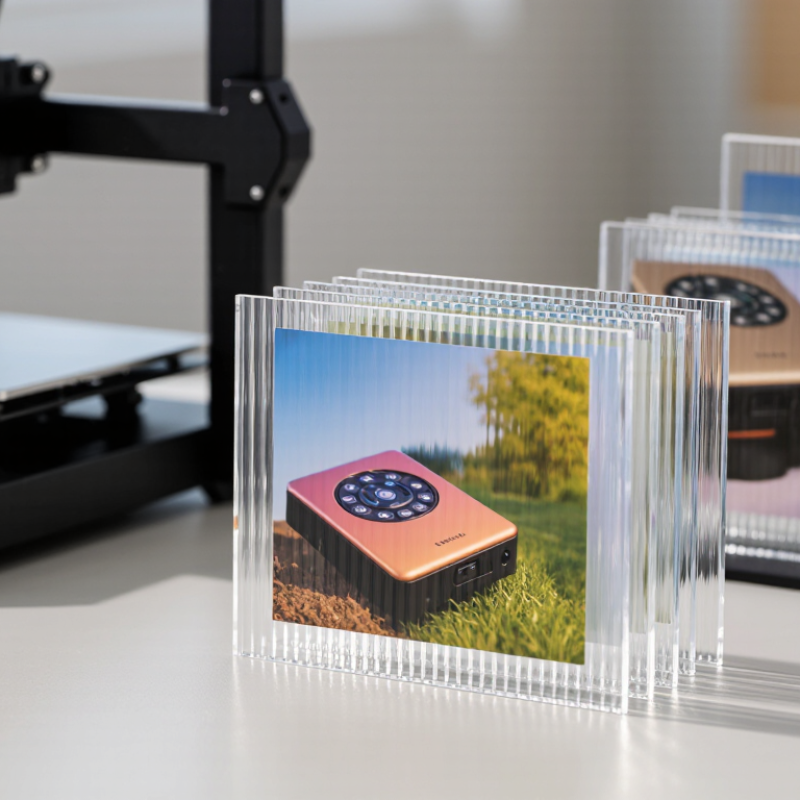
A lenticular product can change as the viewer moves. One angle may show a product photograph; another can reveal a second image, a short sequence, or a raised-looking design. This shift comes from a fine lens structure aligned with interlaced artwork. The effect is immediate. It can make a flat card, sign, or package feel more engaging without adding electronics.
Choosing to 3D Print Lenticular products can help designers explore custom shapes, prototypes, and small production runs. A printed sample lets teams inspect how the lens pitch, viewing distance, lighting, and image alignment work together. For example, a tabletop display can be checked under ordinary store lighting, not only on a bright monitor. That detail matters. Misalignment may create ghosting or make the image change too early, so testing is part of the process, not a finishing touch.
These products suit projects where movement or depth supports the message, such as collectible cards, promotional displays, and educational visuals. They are not automatically the best choice for every design. Fine text, dim environments, and very wide viewing angles can reduce clarity. Material, print resolution, and viewing conditions also affect results. A thoughtful decision balances visual impact with readability, durability, cost, and the intended audience. Sometimes a simpler print works better. That is worth admitting. This guide explains the practical benefits of 3D printed lenticular products, the production factors to review, and the limitations to consider before committing to a design.
What 3D Lenticular Products Are: 40 LPI Equals a 0.635 mm Lens Pitch
Why Choose 3D Printed Lenticular Products?
What 3D Lenticular Products Are: 40 LPI Equals a 0.635 mm Lens Pitch
A 3D lenticular product uses a ridged plastic lens sheet to show different image slices from different viewing angles. At 40 LPI, the sheet has 40 lenticules per inch. One inch is 25.4 mm, so each lens pitch measures 0.635 mm from center to center. That measurement describes the lens spacing, not the finished image’s pixel size. The printed image must be interlaced to match the lens pattern. When alignment is slightly off, edges can look doubled, or the depth effect may feel weak.
Tips: Confirm the lens pitch before preparing artwork. Check a small printed sample under real viewing conditions, and move it slowly from side to side. A screen preview cannot reveal every alignment issue.
Choosing 40 LPI involves a practical trade-off. The fine ridges can support detailed imagery, but they also demand careful image preparation and print registration. The perceived depth depends on more than pitch: image slices, viewing distance, and viewing angle matter too. A dramatic effect is not guaranteed. Even a small registration shift can make a clean graphic appear blurry, so inspect the physical sample before approving a larger run.
How Interlacing Assigns Multiple Image Views to Each Lenticular Lens
Why Choose 3D Printed Lenticular Products?
How Interlacing Assigns Multiple Image Views to Each Lenticular Lens
A lenticular image begins with several views of the same subject, captured or rendered from slightly different angles. Interlacing divides each view into narrow strips, then arranges those strips in a repeating sequence. Each sequence sits beneath a corresponding lenticule, the small curved lens that directs light toward a viewer’s eyes. The image changes as the viewing angle changes. A toy car might appear to turn, or a printed shape might seem to rise from its surface.
The alignment must be precise. Lens pitch, strip width, and print resolution need to work together; even a small mismatch can create ghosting or blur. In a 3D printed product, lens geometry can be built into a surface, but layer texture may soften fine details. That trade-off is easy to underestimate. Testing a small sample under ordinary room lighting can reveal whether the effect reads clearly from the intended distance.
More views do not always mean a better result. Too many can narrow the useful viewing zone or reduce image sharpness. A practical design starts with the motion or depth effect people should notice, then uses only enough views to support it.
Sometimes, less is clearer.
Why Viewing Angle and Lens Pitch Determine 3D Depth and Motion
A lenticular product creates depth or motion by placing narrow image strips beneath a ridged lens sheet. Lens pitch, often measured in lenses per inch, controls how those strips align with the lens. Viewing angle determines how far a person can move before seeing a different image or losing the intended effect. Small shifts matter.
With a portrait, for example, carefully spaced image layers can make the eyes appear closer than the background. If the pitch is mismatched, edges may look doubled or the depth may break into visible bands. Motion designs face a similar challenge: each small head movement should reveal a clear next frame, not a confusing flicker. The right result depends on the artwork, lens, print alignment, and viewing distance working together.
A wider viewing angle can make a display easier to share, but may soften the 3D effect. A narrower one can create more pronounced depth from a fixed position, yet feel less forgiving. There is no perfect setting for every product. A test print viewed at arm’s length often reveals issues that a screen preview misses. It may look less dramatic than expected. That is useful feedback, not a failure. Adjusting pitch or image spacing in small steps helps connect the technical setup to what viewers actually see.
How 300 PPI Artwork Supports Detail in Lenticular Print Production
Why Choose 3D Printed Lenticular Products?
How 300 PPI Artwork Supports Detail in Lenticular Print Production
Lenticular products combine printed images with a lens surface to create movement or depth as the viewing angle changes. Artwork prepared at 300 PPI at its final print size gives fine edges, gradients, and small details a stronger starting point. A tiny label or strand of hair can look crisp on screen but soften after production. Resolution matters. So do image size, lens pitch, and the number of frames used for the effect. A 300 PPI file cannot restore detail that was missing from the original image.
Tips: Build artwork at final size when possible. Keep important text and thin lines clear of image transitions. Ask for a proof, and check it under ordinary room lighting from several angles.
In production, artwork is typically divided into narrow interlaced strips that align with the lenticular lens. Small alignment shifts can cause ghosting or blur, even when the source file is high resolution. Reviewing a physical sample helps reveal issues that a monitor may hide. It is worth checking viewing distance, too: details that read up close may disappear at arm’s length. The process can be less predictable than the file suggests, and a first proof may need adjustment. That is normal, not a reason to rely on resolution alone.
Where Flip, Motion, and 3D Effects Make Lenticular Products Useful
Lenticular products use a ridged lens sheet to reveal different images as the viewer moves. A shelf card can switch from a product close-up to a simple offer. A postcard may show a hand turning, or an object appearing to rise from the surface. Small movements do the work. The effect is most useful when the message changes clearly, not merely because the image moves.
Wohlers Report 2024 estimated the global additive manufacturing industry at about US$20.0 billion in 2023.
This is not a lenticular-market estimate, and the processes are different: lenticular images are typically interlaced and printed beneath a lens sheet, rather than built layer by layer. That distinction matters. For practical results, designers should test viewing distance, lighting, lens pitch, and image alignment; even a slight mismatch can blur the flip effect. Motion can attract a glance. It can also distract. A quiet depth effect may suit a museum label, while a bold image change may work better on packaging or a display card. The less glamorous part? Prototypes take time, and some effects look weaker under uneven store lighting.
